Night shifts
Nights that show both days
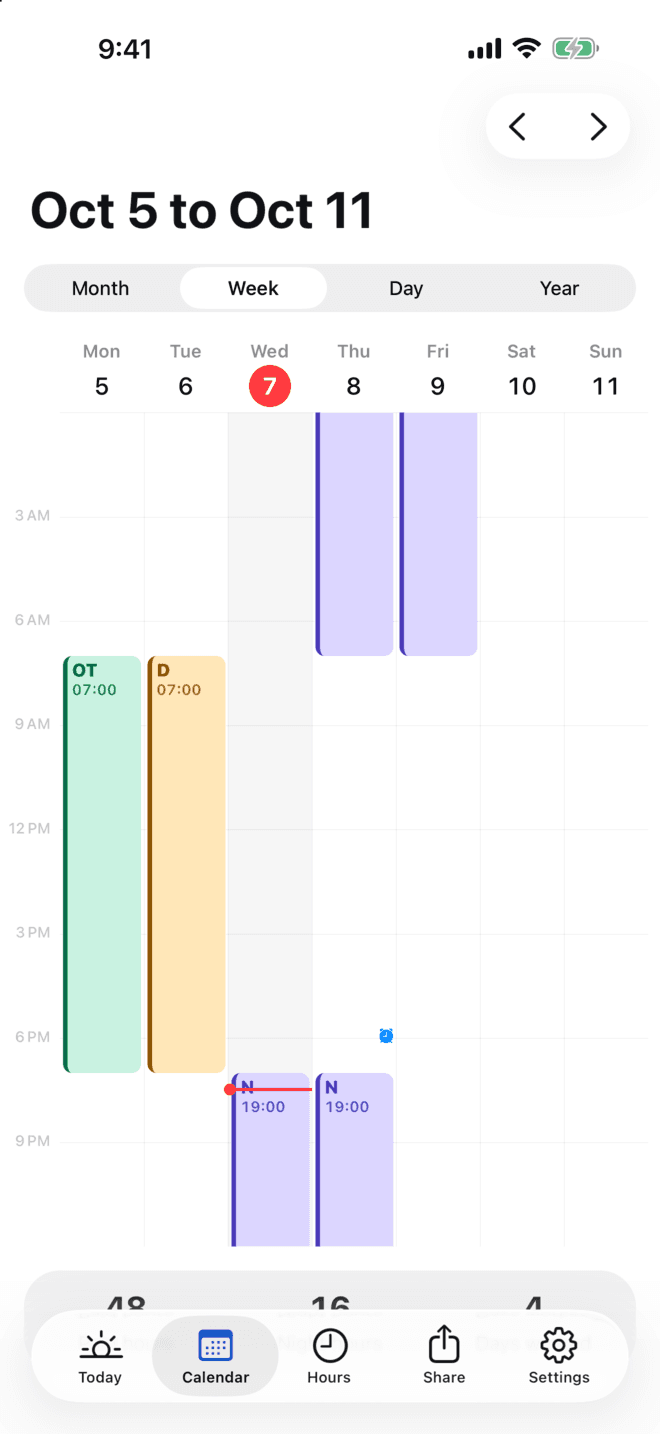
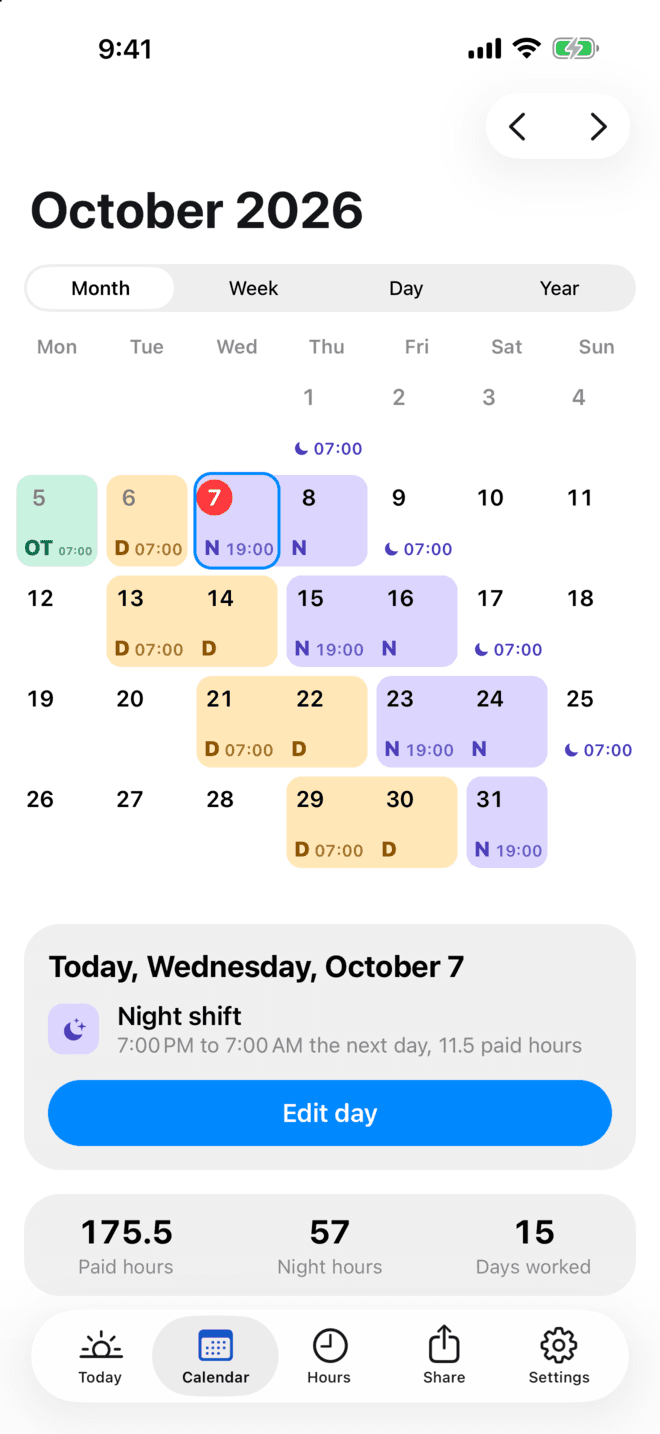
A night shift sits on the day it starts, with its start time, and its 07:00 finish shows on the next morning. The week view draws the whole block across midnight, so the 14th never surprises you.
Coming soon for iPhone and Android
Enter your rotating pattern once. ShiftDeck draws your working year, wakes you before every shift and never on a day off, and counts your hours and overtime.
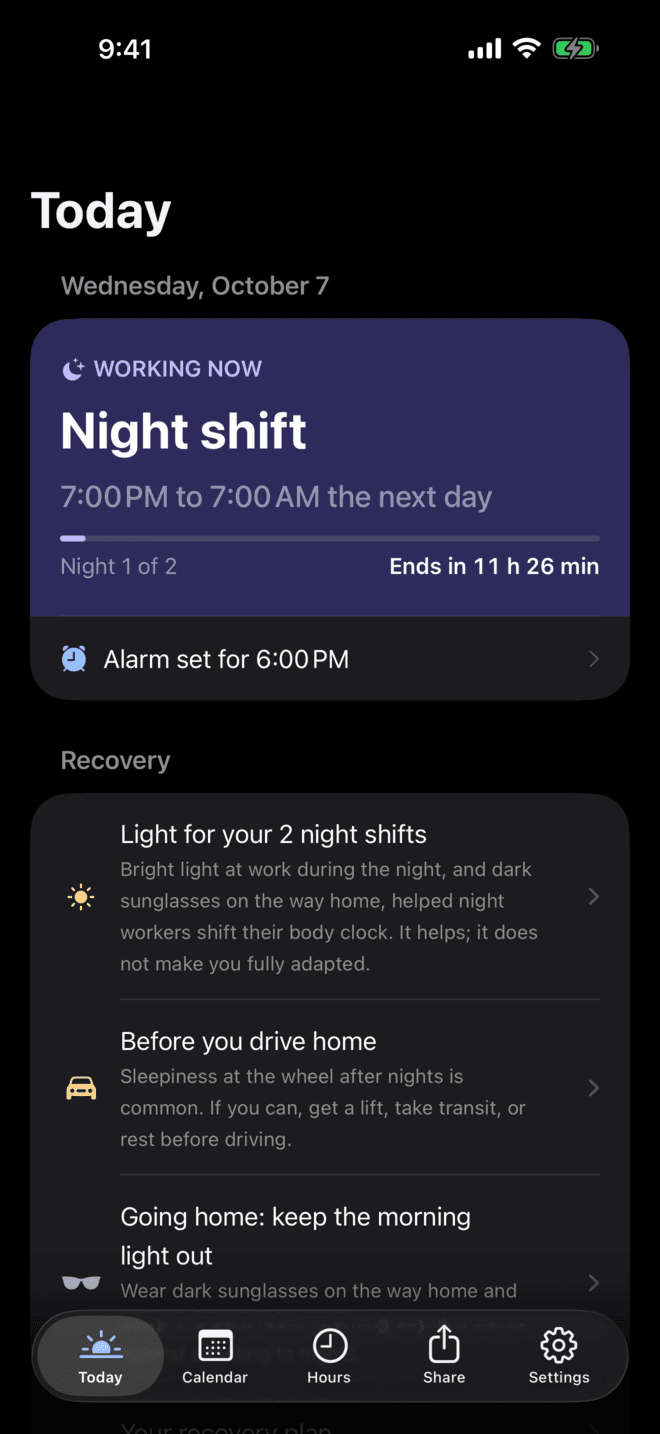
Night shifts split across two days, alarms that stay silent, and edits that quietly move your shifts. ShiftDeck was designed around exactly those.
Night shifts
A night shift sits on the day it starts, with its start time, and its 07:00 finish shows on the next morning. The week view draws the whole block across midnight, so the 14th never surprises you.
Alarms
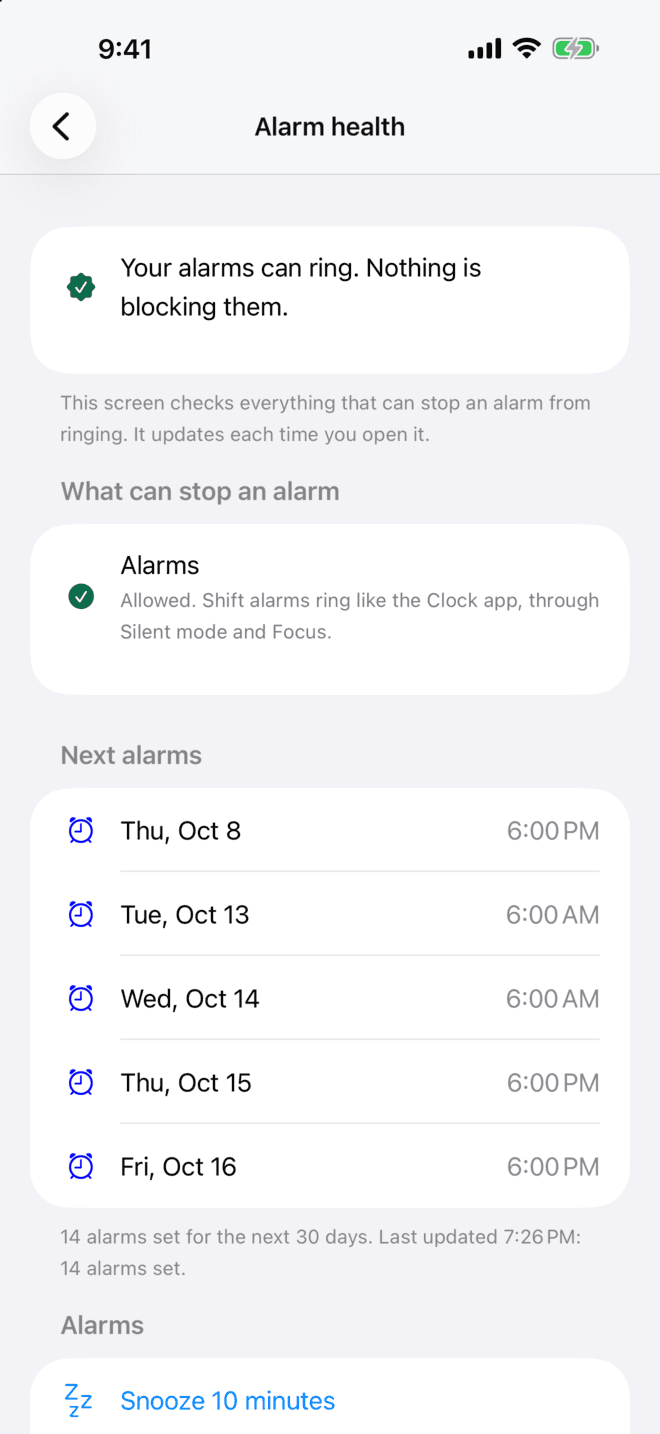
Alarms follow your pattern, swaps and sick days, so they ring before shifts and stay quiet on days off. Alarm health checks everything on your phone that could stop one, and says how to fix it.
Changes
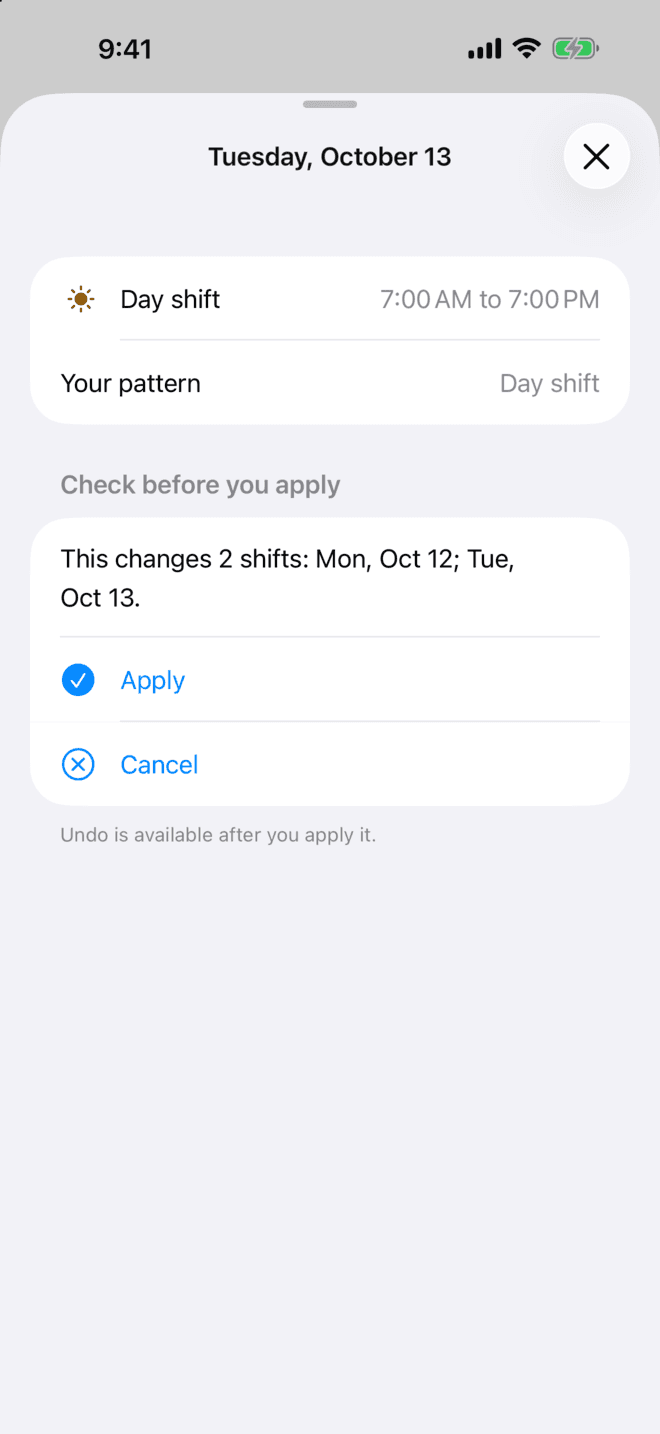
Pick the day and the date to trade with. ShiftDeck shows what the change affects before you apply it, moves the alarm with the shift, and keeps every change one tap from undo.
Paid hours with breaks taken off, night hours, overtime by week, fortnight or four weeks, and a gross pay estimate.
Sleep windows and advice for early starts and runs of nights, each citing the study behind it. Not medical advice.
One backup file restores everything. Calendar (.ics) and PDF exports, and a calendar link that stays up to date.
Home and lock screen widgets, a next-shift Live Activity, an Apple Watch app and complication, and an Android widget.
A read-only link or QR code with shift times only, colleague compare, and team schedules with swap requests.
Take a photo of a paper roster. The text is read on your phone and you check each day before one undoable change.
Start from a built-in pattern, or build any cycle day by day: Pitman, Continental, nights only or your own. A live preview shows your year as you go.
No subscription and no trial that turns into a bill. Every paid feature is on for your first 7 days, with no card.
Free, for good
One-time unlock
Bought once through the App Store or Google Play. Family Sharing on iPhone.
No. Everything works on your phone without one. An account is only for syncing between your own phones and for sharing with your partner or team, and sync is off until you turn it on.
Yes. Your schedule, alarms and hours live on your phone, so ShiftDeck works in a hospital basement, on a rig or on a night shift with no signal.
ShiftDeck uses real system alarms, not plain notifications: Apple's AlarmKit on iPhone and a full-screen alarm on Android. Phones can still block alarms through settings and battery savers, so Alarm health checks everything that could stop one and tells you how to fix it.
A night shift appears on the day it starts with its start time, and its finish shows on the next morning. Hours are counted as real time worked, including the nights when the clocks change.
No. The core app is free with no ads. One optional, one-time unlock adds the extra features. There is no subscription, and every paid feature is free to try for 7 days with no card.
Save one backup file and restore it on the new phone. It brings back every schedule, shift type and change. If you use an account, sync does this for you.
Any repeating cycle. 2-2-3 (Panama), 4 on 4 off, DuPont, 7 on 7 off, 24 on 48 off and weekly patterns are built in, and you can build any other cycle day by day, such as Pitman, Continental or nights only. One-off changes sit on top without touching the pattern.
iPhone, iPad and Apple Watch, and Android phones and tablets. English (US and UK), German, Spanish, French and Polish.
Something else? Write to support@retroselfie.me.